Trade Futures on Charts: Place and Manage Futures Orders Directly on the Chart with Mudrex
Trade Futures on Charts: Place and Manage Futures Orders Directly on the Chart with Mudrex You can now place and manage Futures orders directly from the Mudrex trading chart. Select market and limit prices by tapping or dragging on the chart, adjust stop-loss and take-profit levels by moving their respective lines, and view your open positions, pending orders, and liquidation level in the same view. You can also modify or cancel orders directly through their chart lines. This means fewer switches between the chart and order form when placing or adjusting a trade. You can work with the price levels you are tracking and manage your orders in the same view. A More Direct Way to Trade Futures Until now, placing a Futures order meant using the order form to enter the required price levels. Trade on Charts adds another way to do this. You can select prices directly on the chart and manage orders through the lines displayed against the price movement. The feature brings three key parts of the trading process together: Visual order placement: Tap or drag on the chart to select entry and limit prices. Visual risk management: Drag stop-loss and take-profit lines to set or adjust your preferred price levels. On-chart order management: View open positions, pending orders, and liquidation levels, and modify or cancel orders directly from their lines. Instead of treating the chart and order management as separate parts of the trading experience, you can now use the chart as an interactive space to work with your orders. Mudrex has also partnered with TradingView, using its trading platform charting library to bring advanced execution capabilities directly to the charts. Traders can analyse the live Bitcoin chart with professional tools and act on their trading ideas without leaving the chart.
Key Takeaways
- Trade Futures on Charts: Place and Manage Futures Orders Directly on the Chart with Mudrex You can now place and manage Futures orders directly from the Mudrex trading chart.
- Select market and limit prices by tapping or dragging on the chart, adjust stop-loss and take-profit levels by moving their respective lines, and view your open positions, pending orders, and liquidation level in the same view.
- You can also modify or cancel orders directly through their chart lines.
Summary generated by IndiCrypto from Mudrex. IndiCrypto is a news aggregator and does not provide investment advice. Read the original article for full context.
More in Web3

BitGo expands institutional stablecoin minting and redemption platform with USDC
BitGo's institutional clients can now mint and redeem USDC through Go Accounts, with orders handled through its Circle Mint account.
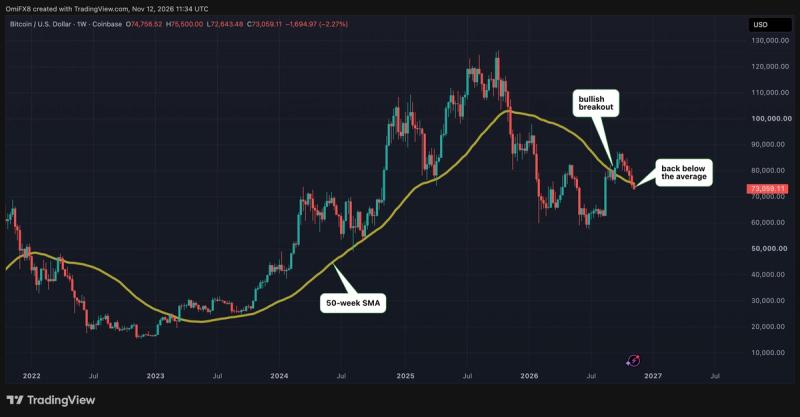
Bitcoin weakness erases September's bullish signal
Your day-ahead look for Nov. 12, 2026

Bitcoin’s rate-cut hopes face a $5 diesel problem in 2027
Refinery constraints could limit disinflation and delay monetary easing, even though diesel is still forecast to fall next year. Read the full story on CryptoSlate Understand the crypto stories that matter and what to watch next. Get The Catalyst in your inbox